How to create a new media in the database?
The first window in the media creation process is shown below, you must fill in the general information for the new media and click ok.
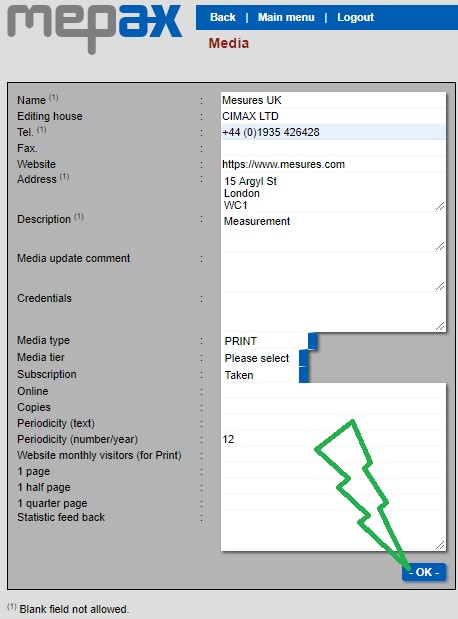
Once you have clicked on OK, your new media profile is created.
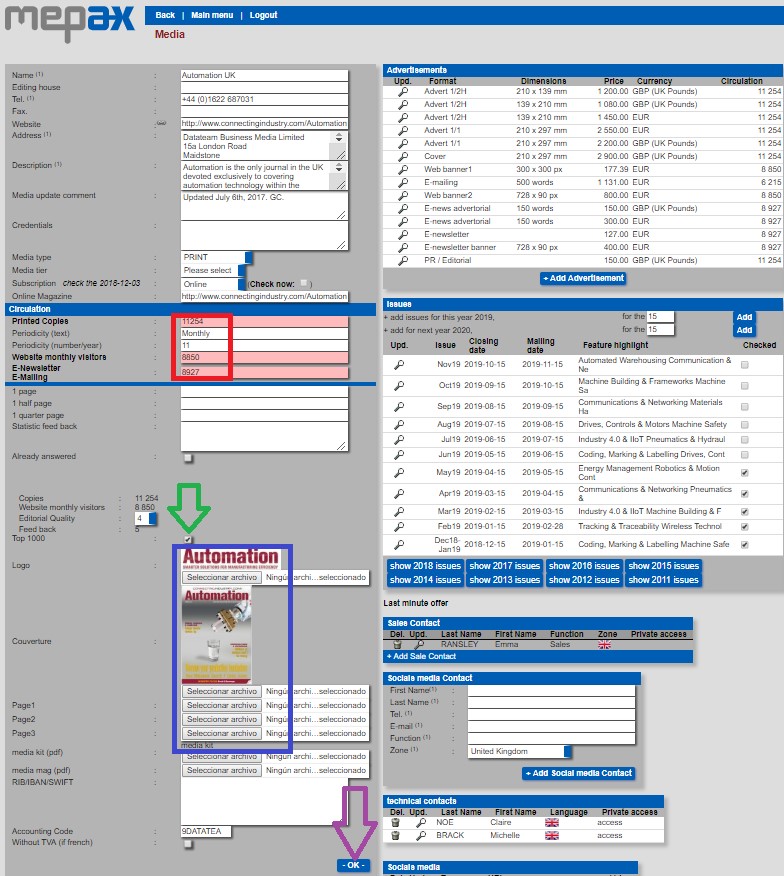
Now you must complete some further information as seen below.
-
Circulation information in red – very important.
-
Printed copies: Number of the printed copies per issue.
-
Website Monthly visitors.
-
Enewsletters/Emailing subscribers per sending.
- Top 1000 media box in green: check this box if you want to include your new media in the Top 1000 media list.
- In blue:
- You must upload the logo of the media
- You can also upload the 1st cover and various pages.
- In order to share your new media creation with all the Mepax Team, you have to upload the Mediakit.
- In purple, please never forget to validate all your changes, by clicking on the OK button as displayed below.