
New customer creation/ Invoicing data
When you on-board a new customer you need to create them in the database. Go to Main Menu under the administration tasks select Customers (accounts). At the bottom of the page select insert then ok, as shown below in green.
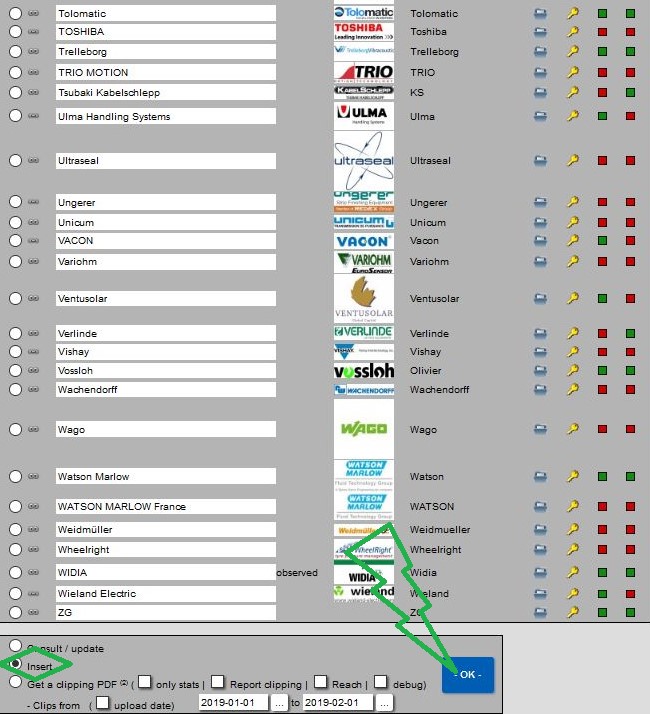
Then you directly access the customer creation form.
Here you must add:
- Company name
- Address (Please note that you have to repeat the company name)
- Login & Password which you have to create. (They are no rules for creating a new password, but good practise is to make them long and complicated)
- Now you have to complete the next 6 fields in exactly the same way shown in the example below.
- As displayed below in red you need to add the VAT number for your client for invoicing purposes.
- Finally, upload JPG of the customer logo and click ok.
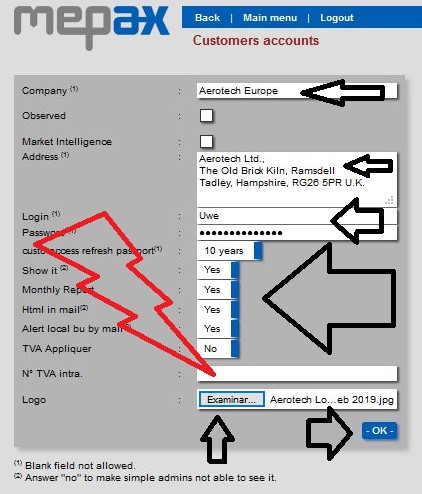
At this step your new Customers account is created, and you can consult it in Customers accounts.
Now you must create the new communication contact.